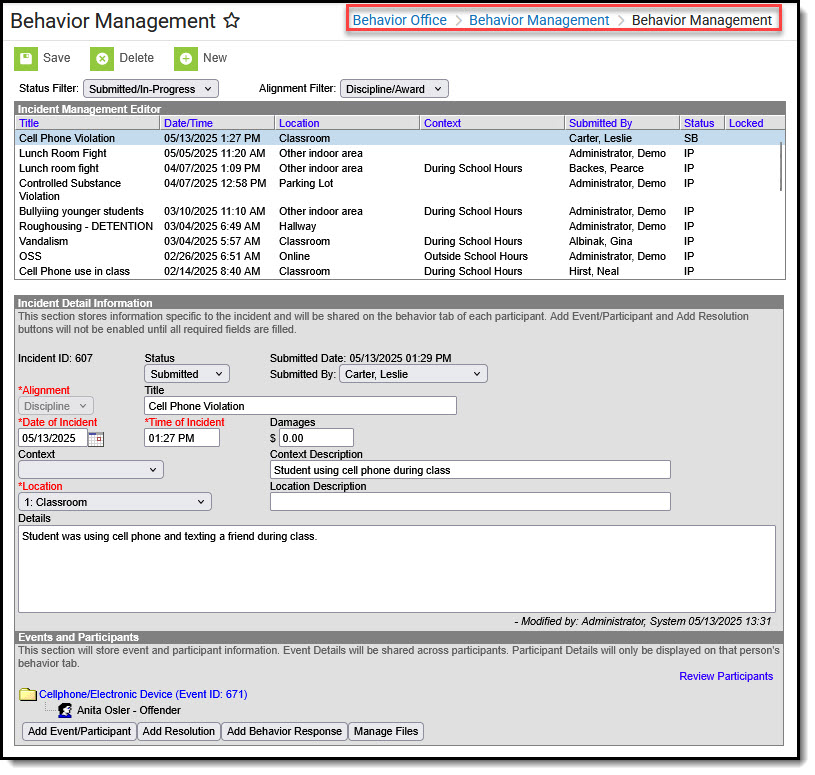
Individuals responsible for recording behavior incident data use the Behavior Management tool to enter new behavior events and enter information to existing incidents.
See the Behavior Management Tool article to learn how to use this tool. Note that the Behavior Preferences your district selects impact how Events, Referrals, and the overall processing of behavior records are handled in this tool.
Behavior Management
Available Tool Rights
Subrights in italics.
R
W
A
D
Access and view existing incident records.
Access incidents through Message Center.
Modify existing records
Add new incident records.
Delete incident records.
Delete rights are required to delete incidents, events, resolutions, and responses.
Modify Attendance
Select and modify attendance codes for behavior resolutions.
N/A
N/A
N/A
Unlock Incident
Modify completed behavior discipline incidents when the applicable Behavior Preference is set to Yes.
 Behavior Management
