Location: Grade Book > expand Settings menu > Web Site Address
Teachers have the option of communicating a web site for their course through Campus Student.
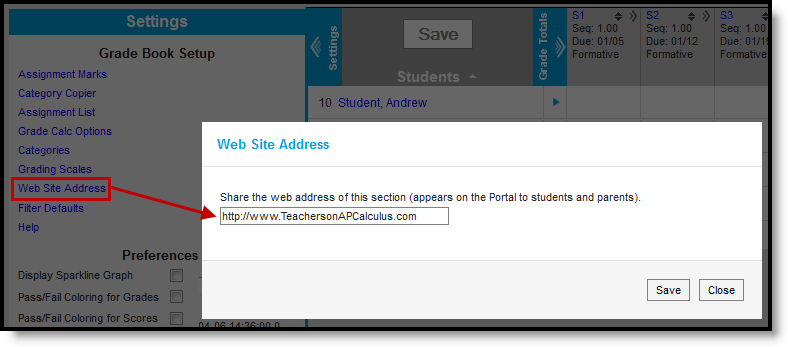 Enter the website of your course to make the link available to students.
Tool rights to the Grade Book grant access to this tool.
From Campus Student, students can access this web address from the Course Info, which displays when they click the name of the course in their Schedule, the Today view, or anywhere else in Campus Student.
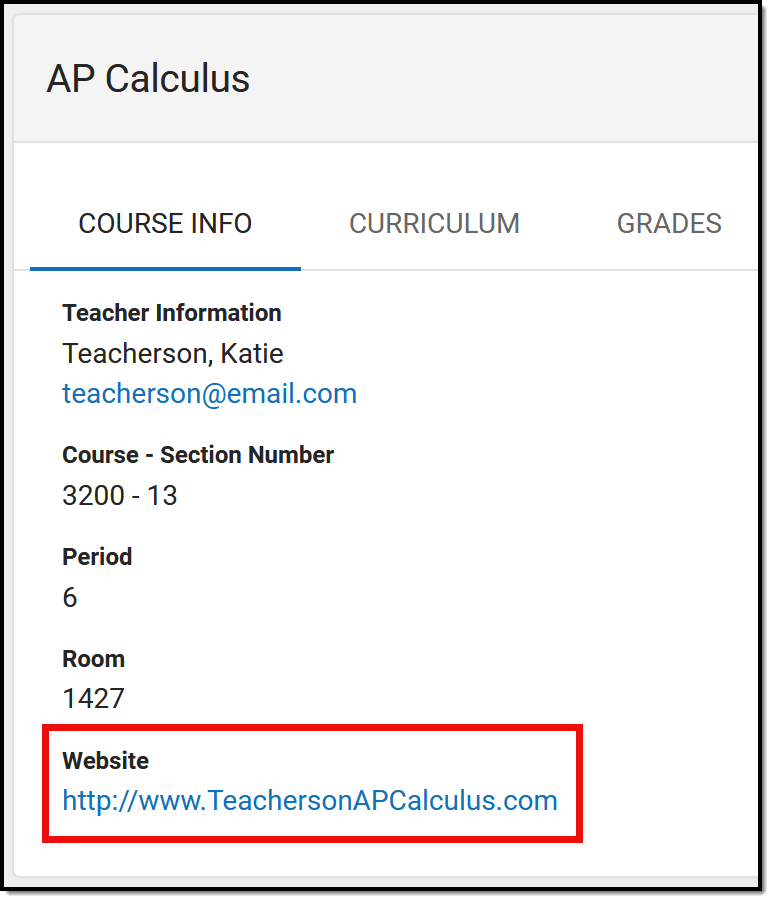
The website displays in the Course Info.
