An Extended Learning Opportunity is a credit-bearing learning experience that takes place outside the traditional classroom. Use the Extended Learning (ELO) tab to track a student's Extended Learning Opportunities. This tab allows you to add, edit, or delete ELO student records. You may also print a summary of all ELO records for the selected student.
This tool allows users to add, edit, or delete ELO student records. Users may also print a summary of all ELO records for the selected student.
Extended Learning (ELO)
See the State Programs Tool Rights article for information about tool rights needed to use this and other State Programs tools.
When first accessing the student's Extended Learning (ELO) records, select the School Year to narrow the list of records to just that year. Or, leave blank and select (view) the entire list of ELO records for the student. Documents can also be uploaded from this location.
Extended Learning Opportunites Main View
Records can also be printed from this main view. Click Print to generate a PDF report of the student's ELO records.
If the End Date is left blank, state reports assume the ELO spanned the course of the current reporting enrollment (this could translate to multiple years of enrollments).
 Extended Learning (ELO)
 Extended Learning Opportunites Main View
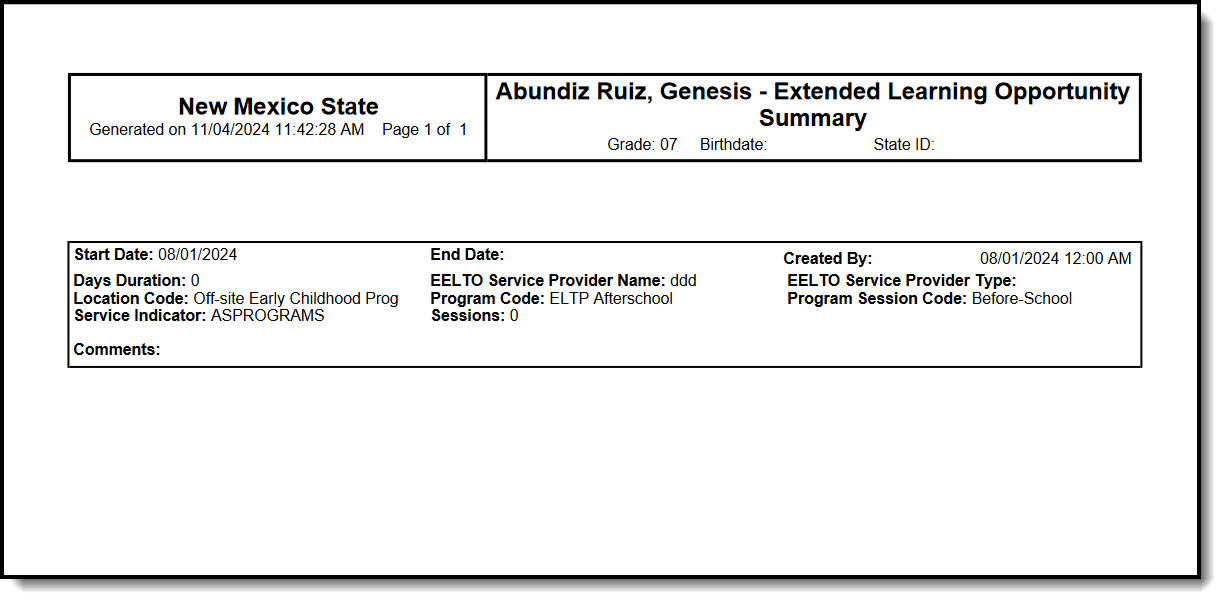 PDF of ELO Records