This article explains the basics of how courses and assessments are aligned to course masters.
A Course Master defines elements of courses from a district level, so all schools in the district for the same grade levels (elementary schools, middle schools, high schools, ALCs, etc.) use the same course numbering and course naming conventions, use the same grading setup Grading Tasks, Standards, Grade Calc Options), and are assigned the same assessments. The grading setup tools can then be pushed to course sections, which eliminates individual course maintenance.
Assessments aligned to a Course Master
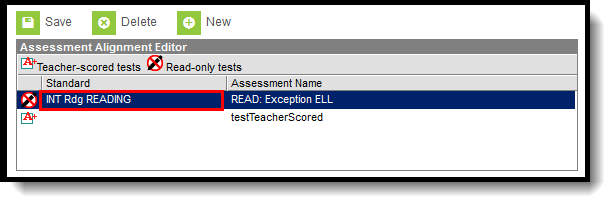
When the course is linked to a Course Master and the editing of Assessments is marked as Locked in the Course Catalog, a lock icon displays next to the test when viewing an Assessment aligned to a Course. Any changes to these locked tests must be made on the Course Master.

Standards Aligned to a Course Master
The Standard column in the Assessment Alignment editor displays a standard if the test has been aligned to one in the Standards Bank (as part of aligning assessments with assignments). Only one teacher-scored test is allowed per course. Teacher-scored assessments are preceded by an asterisk.
Related resources
If you would like to dive deeper or start implementing {concept}, check out the following resources:
