A transcript is a historical record of a student's performance in a course. The information printed on the transcript can vary from district to district depending on district preferences. Each district records grading information that students receive on transcripts and report cards. Grading information is connected to the course schedule of a student. Transcript fields that are specific to the state of Kentucky are described below. For all other inquiries, please visit the Transcript (Counseling) article.
Much of the data that appears in the Transcripts tool is auto-populated from other areas of the software. Users may change the value of these fields within Transcripts. However, be aware that making a change here, does NOT change the value of the originating field. For this reason, modifying posted Transcript records may cause discrepancies in records.
Additional Information
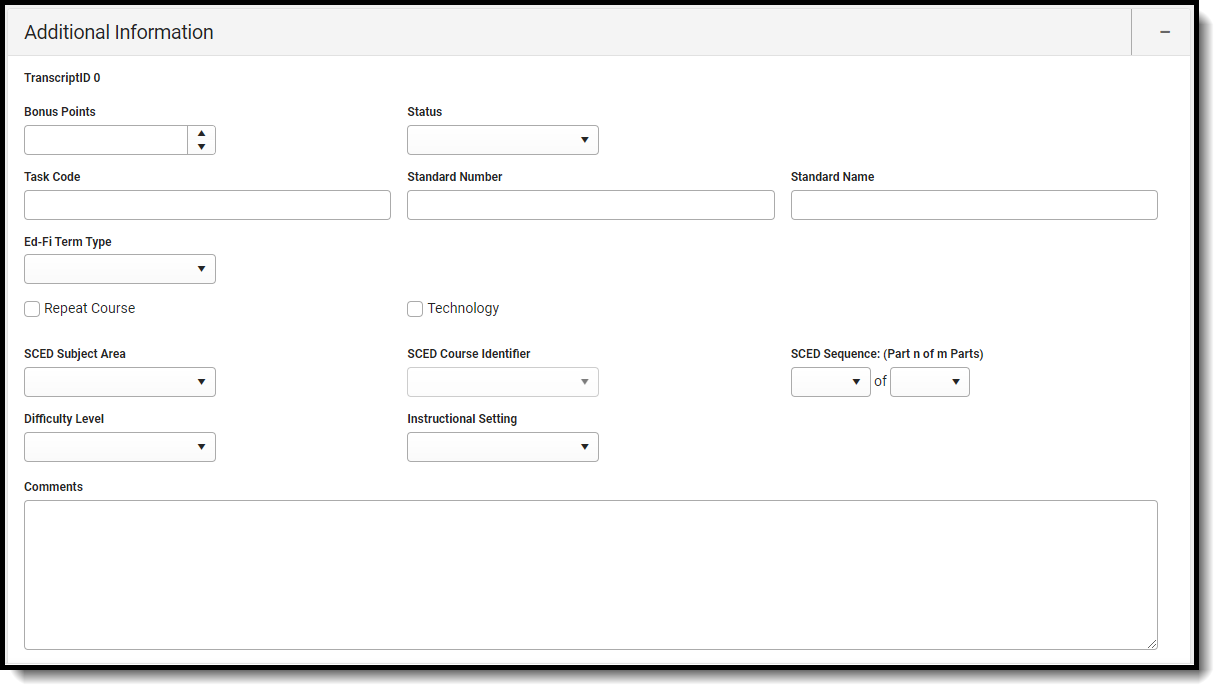
Additional Information fields provide further details on the transcript entry, and includes localized fields (used for state reports) and district-defined fields (created by the district) This section is collapsible or expandable by clicking the minus/plus sign on the right-hand side.
Transcript Additional Information Section Kentucky
Bonus Points
GPA bonus points associated with this entry. This field accepts values less than 100 and up to four decimal points (XX.XXXXX).
Status of course, such as R (required) or E (elective), etc.
Database Location:
transcriptDetail.status
Ad Hoc Inquiries:
N/A
Task Code
The code associated with the transcript entry.
This field should be populated with either the Grading Task Code (entered on the Grading Task Detail) or the Standard Number Code (entered on the Standard Detail editor).
Database Location:
transcriptCourse.gradingTaskCode
Ad Hoc Inquiries:
N/A
Standard Number
State- or district-defined number for this standard. This field populates with the Standard Number (entered on the Standard Detail editor).
Indicates whether the transcript entry meets technology reporting requirements. Returns a value of 0 if the checkbox is not marked, or a value of 1 if the checkbox is marked.
School Codes for Exchange of Data (SCED) is a common classification system for secondary school courses in the United States. Use this list to select the appropriate subject area.
Making a change here, does NOT change the value of the originating field. For this reason, modifying posted Transcript records may cause discrepancies in records.
Use the SCED Course Identifier field to select the appropriate course.
Making a change here, does NOT change the value of the originating field. For this reason, modifying posted Transcript records may cause discrepancies in records.
Field noting where the course was delivered to students.
Database Location:
Course.DistanceCode
Ad Hoc Inquiries:
Course > Section Information > InstructionalSetting
Comments
Lists any general notes on the transcript entry. This field also displays on the Main Detail view. The entire comment displays in the pop-up text when the user hovers over this field in the Main screen.
 Transcript Additional Information Section Kentucky