Tool Search: Accommodations
The Accommodation tool is used to add Accommodations options for a student's IEP on the Accommodations editor. Options available in the dropdown are prefilled, but this tool adds additional options.
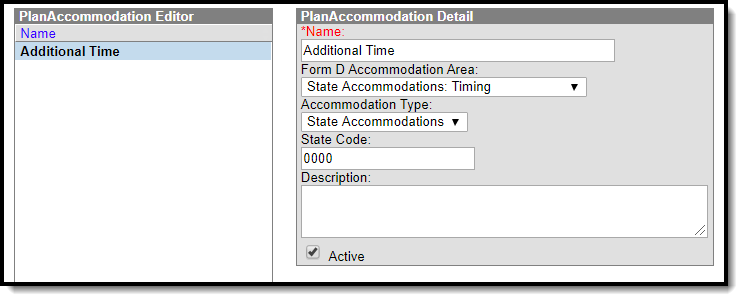 Accommodations Tool
- Enter a Name for the plan accommodation.
- Select the accommodation area from the Form D Accommodation Area dropdown,
- Select an Accommodation Type from the dropdown.
- Enter a State Code.
- Enter a Description.
- Mark the Active checkbox.
- Click Save. The new Accommodation displays in the Accommodation dropdown on the Accommodations editor of the IEP.
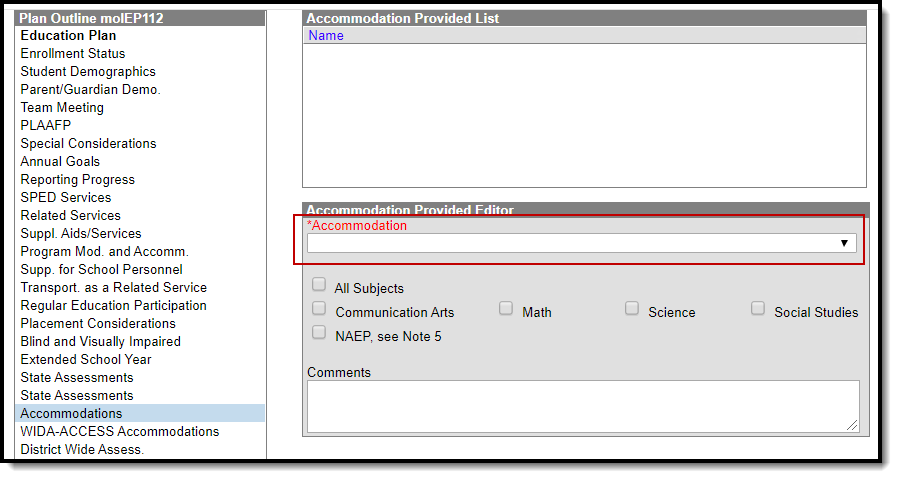 Accommodations Editor on an IEP
