Tool Search: Health Office Cancellations
This guide explains how to batch cancel all previously scheduled health office visits for a date range. Only scheduled visits that have not been saved will be deleted. No-show and walk-in visits are not deleted.
Before you start
- See the Health Office Cancellations Tool Rights article for information about rights needed to use this tool.
Batch cancel scheduled office visits
|
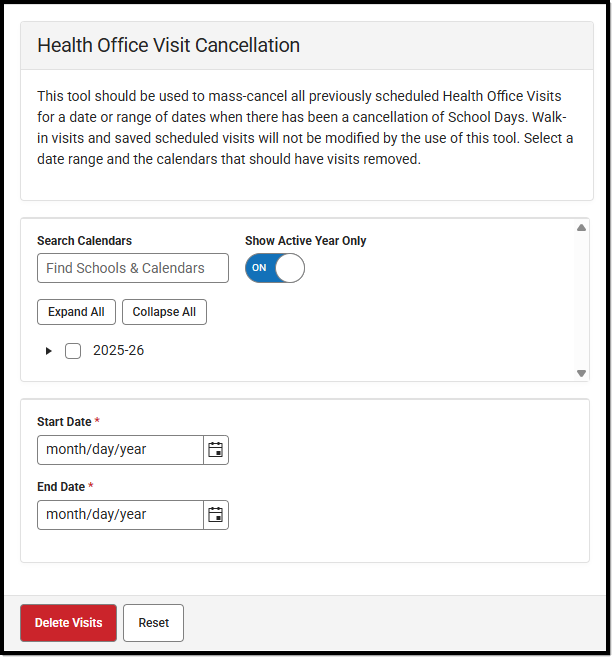 Health Office Visit Cancellation Tool Health Office Visit Cancellation Tool |
Once you click Delete, there is no way to undo the mass deletion of visits.
When the tool is run, all Health Office Visit records from the selected calendar(s) within the entered Start and End Date will be canceled. A message displays indicating the number of records deleted.
What's next
- Manage scheduled calendar appointments with the Health Office Calendar.
- Enter student office visits with the Health Office Visits tool.
